
Fix Missing Windows Boot Option in Linux Dual Boot (GRUB)
/ 2 min read

Table of Contents
Intro
This guide is for fixing the missing Windows boot option in the GRUB menu on a dual-boot system with Linux and Windows. So recently I installed Arch Linux on my laptop alongside Windows 11. After the installation, I noticed that the Windows boot option was missing in the GRUB menu.
Steps
1. Install dependencies
$ sudo pacman -S os-prober ntfs-3gos-proberis a tool that detects other operating systems installed on the system.ntfs-3gis a driver that allows read-write access to NTFS partitions.
2. Configure GRUB
$ sudo nano /etc/default/grub3. Uncomment the following line
Uncomment the following line in the /etc/default/grub file. Or simply remove the # at the beginning of the line.
GRUB_DISABLE_OS_PROBER=falseGRUB_DISABLE_OS_PROBER=falseenables the detection of other operating systems installed on the system.
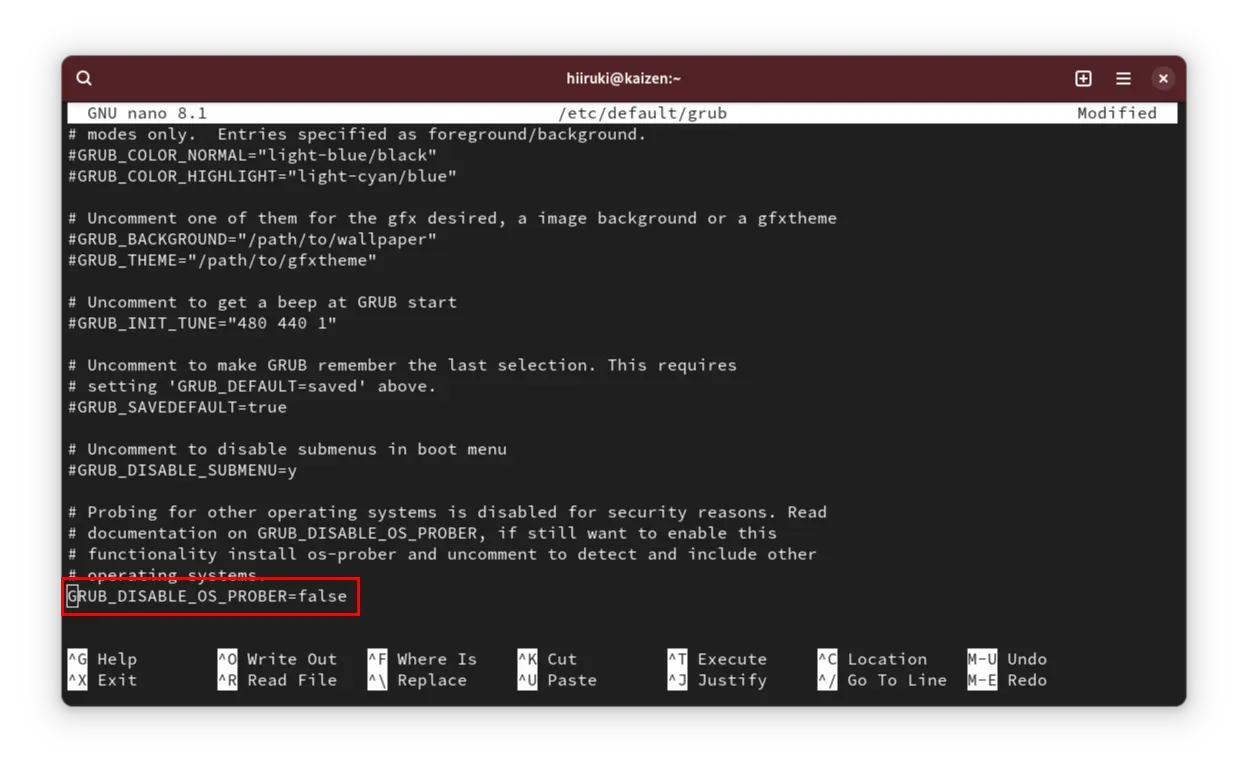
After making the changes, save the file using Ctrl + X, then press Y to confirm the changes, and press Enter to save the file.
4. Apply changes to GRUB using grub-mkconfig
$ sudo grub-mkconfig -o /boot/grub/grub.cfggrub-mkconfigwill regenerate the GRUB configuration file based on the changes made to the/etc/default/grubor/etc/grub.d/files.-o /boot/grub/grub.cfgspecifies the output file for the generated configuration.
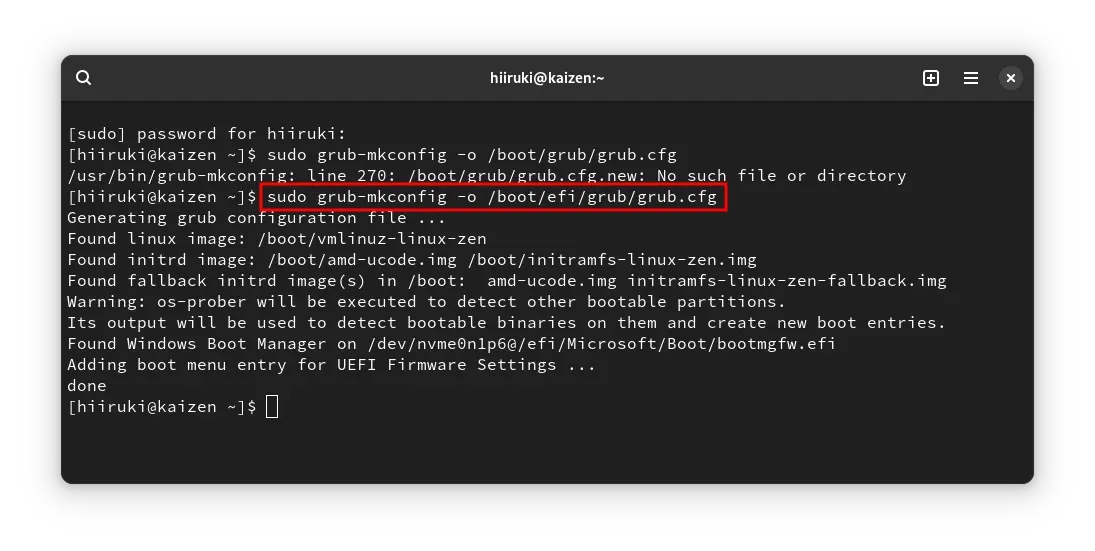
5. Reboot
$ sudo rebootBefore
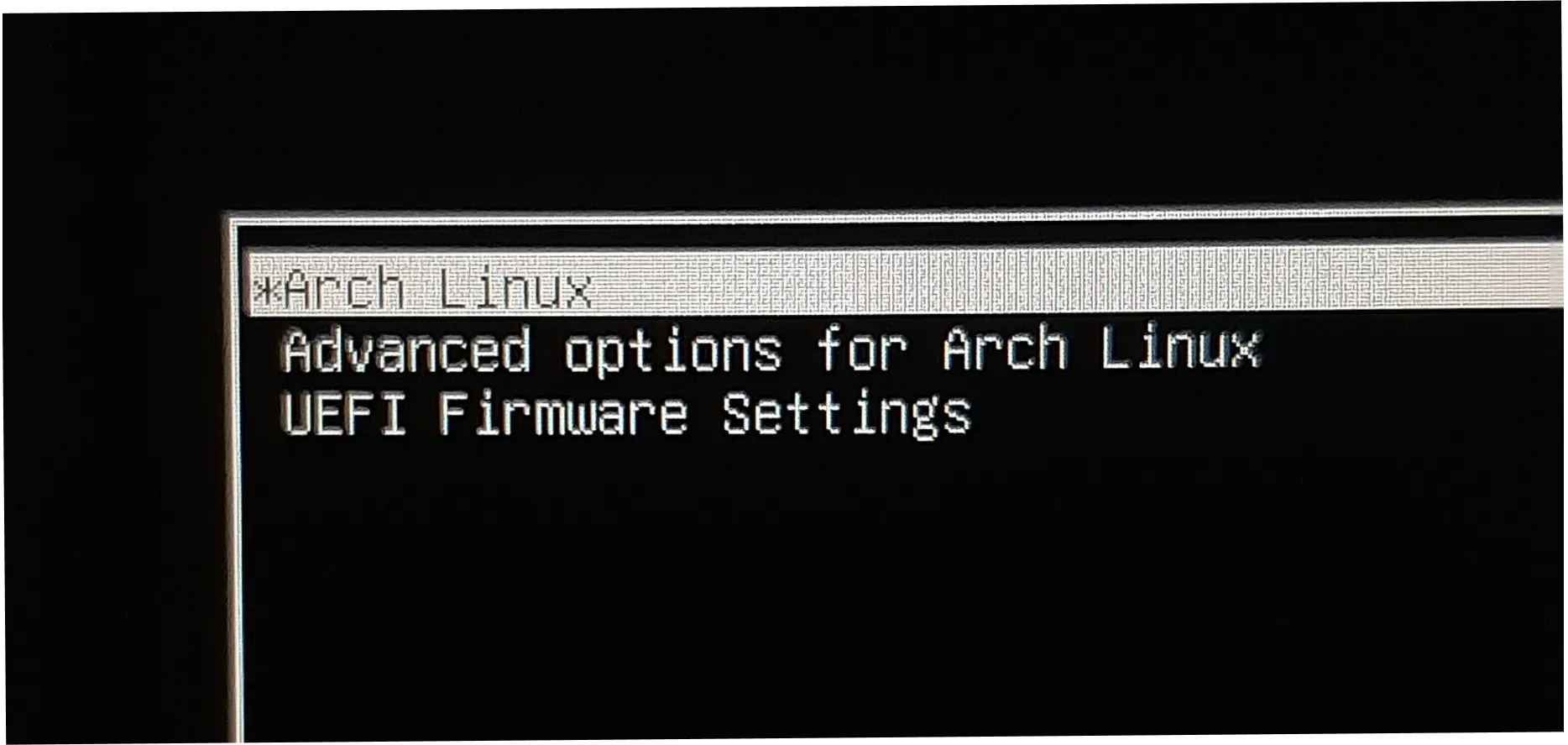
After
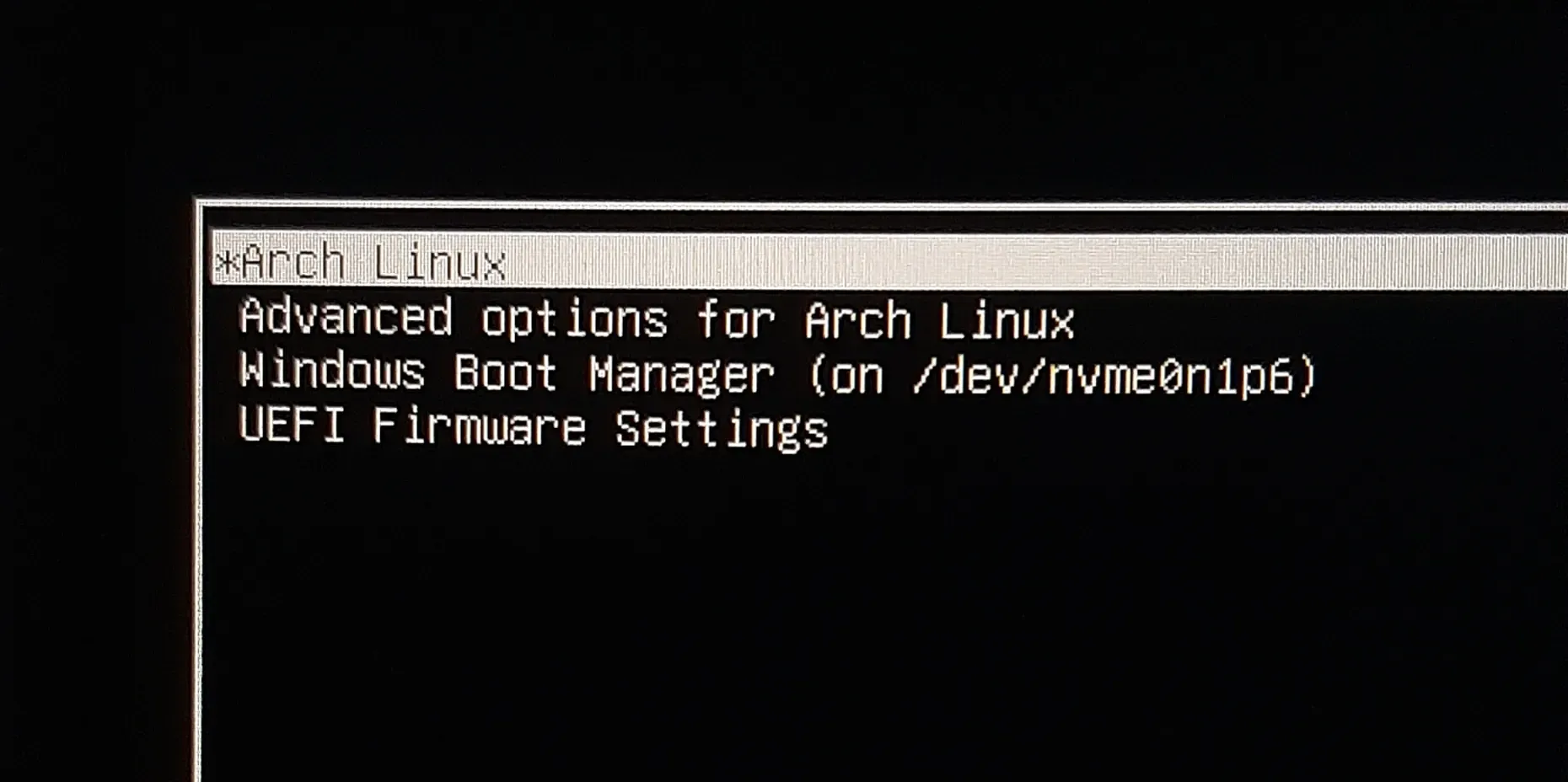
Summary
So, we fixed the missing Windows boot option in the GRUB menu on a dual-boot system with Linux and Windows. We installed the os-prober and ntfs-3g packages, uncomment the GRUB_DISABLE_OS_PROBER=false line in the /etc/default/grub file, and regenerated the GRUB configuration file using grub-mkconfig.